UserEcho Down?

Avatar
  • updated
  • Under review
I'm writing this early, so if you check and it works, it fixed itself. It's not working for me or users. gymforgeeks.com


It's set up the way it originally was. Any ideas?

Pinned replies
Avatar
UserEcho Support co-founder
  • Answer
  • Under review
UserEcho is working.
When i typing gymforgeeks.com i see following site now.

Avatar
UserEcho Support co-founder
  • Answer
  • Under review
UserEcho is working.
When i typing gymforgeeks.com i see following site now.

Avatar
Mike Wentworth

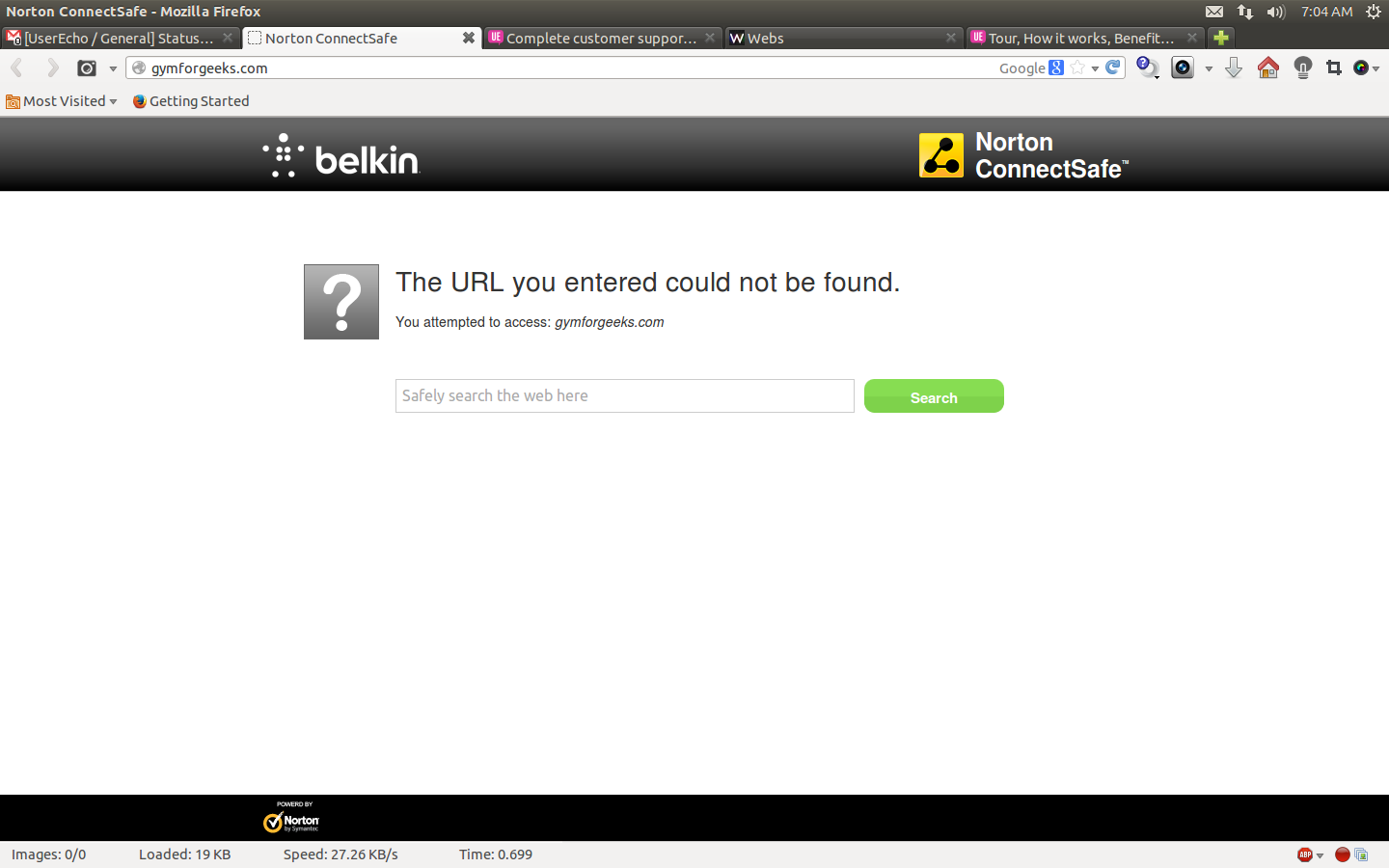
Hmm.. I'm getting the following, and NameCheap got the same for some reason.


Avatar
UserEcho Support co-founder
Quote from Mike Wentworth

Hmm.. I'm getting the following, and NameCheap got the same for some reason.


Try to send ping command in your terminal app.


ping www.gymforgeeks.com
It must resolve to the 176.9.64.181 (it's address of UserEcho server that serving gymforgeeks.userecho.com community.


Disable aliasing here
So you will able to access community via http://gymforgeeks.userecho.com
Until you resolve your DNS issues.
Avatar
Mike Wentworth
Quote from UserEcho Support

Try to send ping command in your terminal app.


ping www.gymforgeeks.com
It must resolve to the 176.9.64.181 (it's address of UserEcho server that serving gymforgeeks.userecho.com community.


Disable aliasing here
So you will able to access community via http://gymforgeeks.userecho.com
Until you resolve your DNS issues.

The Ping Dat as requested:


PING www.gymforgeeks.com.Belkin (67.134.208.242) 56(84) bytes of data.
64 bytes from 67.134.208.242: icmp_req=1 ttl=241 time=21.3 ms
64 bytes from 67.134.208.242: icmp_req=2 ttl=241 time=22.4 ms
64 bytes from 67.134.208.242: icmp_req=3 ttl=241 time=20.7 ms
64 bytes from 67.134.208.242: icmp_req=4 ttl=241 time=20.7 ms
64 bytes from 67.134.208.242: icmp_req=5 ttl=241 time=22.0 ms
64 bytes from 67.134.208.242: icmp_req=6 ttl=241 time=21.3 ms
64 bytes from 67.134.208.242: icmp_req=7 ttl=241 time=22.7 ms
64 bytes from 67.134.208.242: icmp_req=8 ttl=241 time=21.5 ms
64 bytes from 67.134.208.242: icmp_req=9 ttl=241 time=19.5 ms
64 bytes from 67.134.208.242: icmp_req=10 ttl=241 time=19.8 ms
64 bytes from 67.134.208.242: icmp_req=11 ttl=241 time=22.3 ms
64 bytes from 67.134.208.242: icmp_req=12 ttl=241 time=20.3 ms
64 bytes from 67.134.208.242: icmp_req=13 ttl=241 time=19.9 ms
64 bytes from 67.134.208.242: icmp_req=14 ttl=241 time=22.5 ms
64 bytes from 67.134.208.242: icmp_req=15 ttl=241 time=20.5 ms
64 bytes from 67.134.208.242: icmp_req=16 ttl=241 time=21.3 ms
64 bytes from 67.134.208.242: icmp_req=17 ttl=241 time=20.3 ms
64 bytes from 67.134.208.242: icmp_req=18 ttl=241 time=25.3 ms
64 bytes from 67.134.208.242: icmp_req=19 ttl=241 time=20.4 ms
64 bytes from 67.134.208.242: icmp_req=20 ttl=241 time=20.2 ms
64 bytes from 67.134.208.242: icmp_req=21 ttl=241 time=20.8 ms
64 bytes from 67.134.208.242: icmp_req=22 ttl=241 time=19.6 ms
64 bytes from 67.134.208.242: icmp_req=23 ttl=241 time=21.7 ms
64 bytes from 67.134.208.242: icmp_req=24 ttl=241 time=21.3 ms
64 bytes from 67.134.208.242: icmp_req=25 ttl=241 time=20.6 ms
64 bytes from 67.134.208.242: icmp_req=26 ttl=241 time=20.9 ms
64 bytes from 67.134.208.242: icmp_req=27 ttl=241 time=19.4 ms
64 bytes from 67.134.208.242: icmp_req=28 ttl=241 time=20.1 ms
64 bytes from 67.134.208.242: icmp_req=29 ttl=241 time=22.0 ms
64 bytes from 67.134.208.242: icmp_req=30 ttl=241 time=20.4 ms
64 bytes from 67.134.208.242: icmp_req=31 ttl=241 time=20.1 ms
64 bytes from 67.134.208.242: icmp_req=32 ttl=241 time=21.3 ms
64 bytes from 67.134.208.242: icmp_req=33 ttl=241 time=21.6 ms